Choose Codex CLI for automation and Cursor Composer 2 for IDE pair programming
- Pick Codex CLI or Cursor Composer 2 based on workflow topology.
- Run a three-task benchmark that measures verification and review cost.
- Design a two-lane adoption policy for terminal automation and IDE pair programming.
<ArticleMetaPill label="7 min read" />
# Choose Codex CLI for automation and Cursor Composer 2 for IDE pair programming
Codex CLI is the better first pick when an AI coding agent needs to run from a terminal, remote shell, clean worktree, or repeatable automation harness. Cursor Composer 2 is the better first pick when a developer is actively steering the agent inside Cursor, reviewing diffs as they appear, and iterating in the IDE. OpenAI documents Codex CLI as a local terminal coding agent that can read, change, and run code in the selected directory [1]. Cursor presents Composer 2 as its in-house coding model for the Cursor IDE, with benchmark gains and lower pricing than its prior Composer generation in a March 2026 launch post [5].
The mistake is treating this as a model leaderboard. Actually, the harness matters more than the model name. Codex CLI and Cursor Composer 2 answer different operating questions: should the agent be something you can operate in a shell, or something you can pair with in an editor?
<figure>
flowchart TD
    A[Which tool?] --> B{Is a human\nsteering live\nin the IDE?}
    B -->|Yes| C{Audit trail\nrequired?}
    B -->|No — delegated| D[Codex CLI\nbatch automation]
    C -->|Yes| E[Codex CLI\n--sandbox + transcript]
    C -->|No| F{Task bounded\nand ticket-sized?}
    F -->|Yes| G[Cursor Composer 2\nIDE pair-programming]
    F -->|No — exploratory| H[Composer 2 to shape\nCodex CLI to verify]
    D --> I{Needs approval\npolicy?}
    I -->|Yes| J[requirements.toml\nenterprise mode]
    I -->|No| K[codex --sandbox\nauto mode]
<figcaption>Fig 1 — Decision tree: Codex CLI for batch automation or Cursor Composer 2 for interactive pair-programming. The key branch is whether a human is actively steering in the IDE. For delegated work — overnight runs, CI pipelines, backlog cleanup — Codex CLI's audit trail and sandbox make it the right primitive. For live IDE-resident work, Composer 2's integrated diffs and instant feedback win.</figcaption> </figure>
For adjacent Academy context, read openai-agents-sdk-mastery for agent runtime architecture, picking-a-frontier-model-2026-q2 for cost-per-task model selection, and Cursor Composer 2 — IDE-First AI Engineering for Cursor-specific workflows.
Pick Codex CLI when the agent needs an audit trail
Codex CLI fits work that should leave a reproducible trail: prompt, search, edit, command, failure, retry, test, and final summary. OpenAI's Codex CLI docs position it as terminal-native [1], and the open-source repository makes the tool implementation inspectable [2]. Its public releases page also gives teams a dated change log for CLI behavior, including a May 2026 release stream, rather than a closed IDE-only update stream [3]. That matters when the agent is not just helping a developer type code but performing issue-sized work on behalf of a team.
Use Codex CLI first for backlog cleanup, repo-wide investigation, focused test repair, migration chores, and command-heavy debugging. The terminal is not a cosmetic interface here. It is the control surface that makes worktree isolation, shell history, focused test commands, and transcript review natural.
OpenAI's broader Codex materials also point toward controlled local execution: the developer docs emphasize adapting to existing project structure and conventions [4], while the repository documents sandboxing and approval modes as CLI-level controls [2]. Even when you are using the local CLI rather than cloud Codex, the same workflow bias shows up: give the agent a bounded task, let it operate, and review the resulting patch.
- Codex CLI's terminal nativity gives you an auditable transcript — every prompt, command, and retry is replayable.
- Use it for delegated work: backlog cleanup, repo-wide investigation, test repair, migration chores.
- Sandboxing + approval modes are CLI-level controls, not opaque IDE settings — easier to standardize for teams.
Pick Cursor Composer 2 when the human is steering the change
Cursor Composer 2 fits the opposite loop: a developer is already inside Cursor, knows roughly what should change, and wants fast multi-file edits with visible diffs. Cursor's March 2026 launch post says Composer 2 improves the benchmarks it tracks, including CursorBench, Terminal-Bench 2.0, and SWE-bench Multilingual [5]. The March 2026 technical report says Composer 2 was trained with continued pretraining followed by large-scale reinforcement learning for end-to-end agent performance [6].
Those facts are useful, but the practical point is narrower. Composer 2 is optimized for the Cursor environment: selected context, editor state, visible hunks, integrated terminal, and quick follow-up prompts. Cursor's May 2026 autoinstall writeup shows the same IDE-first bias at the workflow layer: Composer can bootstrap missing project dependencies as part of an editor-run task [9]. That makes it strong for UI wiring, route/controller work, product feature scaffolding, and bug fixes where the human wants to stay in the review loop every few minutes.
The tradeoff is portability. Composer 2 can be excellent inside Cursor and still be the wrong default for cron-like automation, queue-based branch work, or a CI-style agent runner. If your success metric is "can we replay exactly what happened after the agent touched the repo," the terminal-native tool has the cleaner shape.
- Composer 2 is fastest when a human is already in the IDE, selecting context, and reviewing every few minutes.
- Strong fit: UI wiring, route/controller scaffolding, bug fixes with visible diffs.
- Weak fit: cron-like automation or anywhere the metric is "exactly replay what happened."
Benchmark the harness with three small tasks
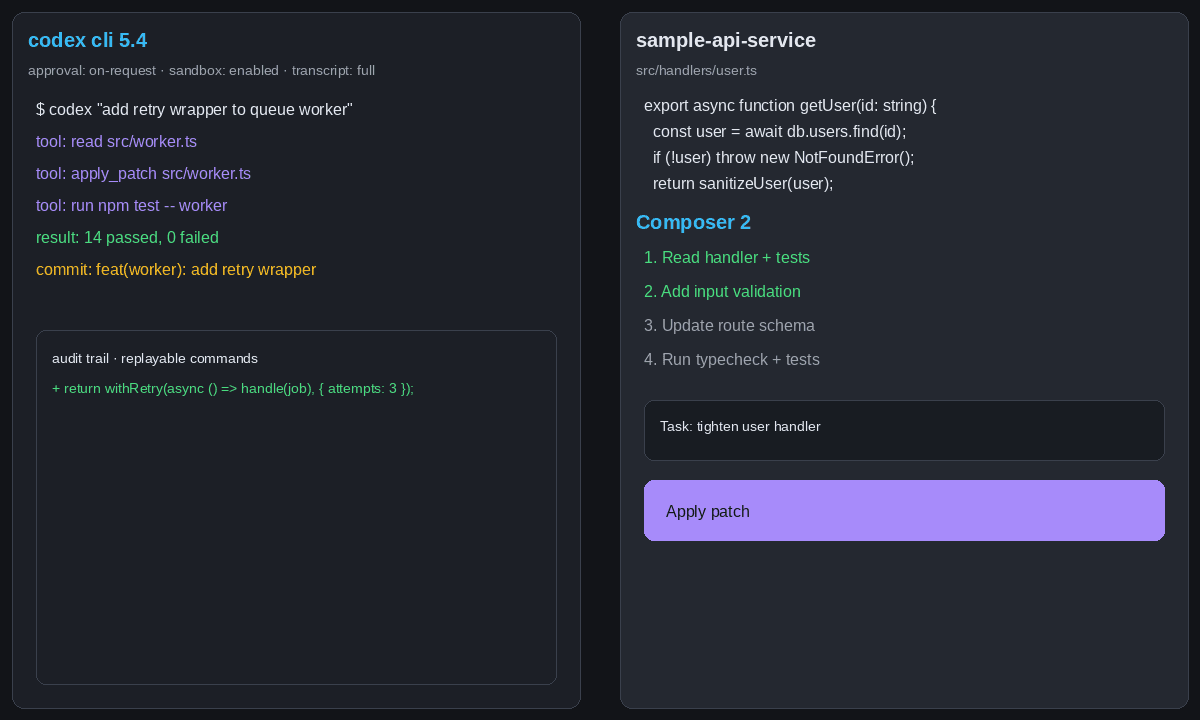
Do not run a giant subjective bakeoff. Run three small tasks in your own repository and score the human cost of getting to a mergeable patch. Terminal-Bench is useful because it focuses on hard command-line tasks rather than generic coding demos [7], while Render's coding-agent benchmark is useful as a reminder that setup speed, deployment friction, and output review all affect real adoption [8].
<figure>
quadrantChart
    title Automation Intensity vs Human Steering (2026)
    x-axis Low Human-Steering --> High Human-Steering
    y-axis Low Automation --> High Automation
    quadrant-1 Both High
    quadrant-2 Automated
    quadrant-3 Manual
    quadrant-4 Human-Steered
    Codex CLI: [0.20, 0.80]
    Cursor Composer 2: [0.75, 0.40]
    CI batch refactor: [0.10, 0.90]
    Feature scaffolding: [0.65, 0.55]
    Bug fix interactive: [0.80, 0.25]
<figcaption>Fig 2 — Automation intensity (y-axis) vs human steering (x-axis) for Codex CLI and Cursor Composer 2, with three representative use cases plotted. Codex CLI lives in the high-automation, low-steering quadrant: it operates unattended. Composer 2 sits in the high-steering quadrant: a developer is directing every step. CI batch refactors and bug-fix interactive sessions anchor the extremes; feature scaffolding lands in the middle where hybrid use of both tools is strongest.</figcaption> </figure>
Use this scorecard for both tools:
| Task | What to measure | Expected winner |
|---|---|---|
| Add one CRUD endpoint | Time to verified route, follow-up prompts, local convention fit | Cursor if the developer is steering in IDE; Codex if the task is delegated |
| Rename one domain model | Search coverage, stale references, focused tests, transcript clarity | Codex for exhaustive command-driven verification |
| Add missing tests | Whether the agent finds the right target and repairs one failure | Codex for background work; Cursor for interactive test design |
Task: - Add a CRUD endpoint for saved prompt templates. - Scope every record to the current company. - Follow existing route, service, shared-type, and test patterns. - Run the smallest relevant test command.
Record:
- minutes to first compiling patch
- number of follow-up prompts
- exact verification command and result
- review notes: stale conventions, missing validation, or unclear diff}
expectedOutput={A two-row benchmark table comparing Codex CLI and Cursor Composer 2 by verified output, follow-up prompts, and review effort. The winner is the tool that reaches a mergeable patch with the lowest human supervision cost, not the tool that types the most code.`}
/>
- Run three small tasks in YOUR repo — not a generic bakeoff. Add a CRUD endpoint, rename a domain model, add missing tests.
- Score human cost to mergeable patch, not LOC typed or model "smartness."
- The harness affects the result more than the model. Same task, different tool, different fit.
Adopt two lanes instead of one winner
The practical policy is simple: use Cursor Composer 2 for actively steered feature work and Codex CLI for delegated automation work.
Cursor Composer 2 should be the default when a product engineer is building in the editor, watching diffs, selecting context manually, and nudging the implementation. Codex CLI should be the default when the task can be written down, checked out into a clean worktree, executed with commands, and reviewed from a transcript. A team that forces every task into one tool will either make automation too editor-bound or make pair programming too detached from the developer's live context.
The hybrid workflow is often strongest. Use Cursor Composer 2 to shape an uncertain feature while the design is still moving. Then hand a bounded cleanup task to Codex CLI: add tests, run stale-reference searches, verify a migration, or update docs. Or reverse it: ask Codex CLI to investigate the repository and produce the narrow plan, then use Cursor Composer 2 for the human-guided implementation.
- Don't standardize on one tool. Standardize the review process; let the harness fit the task.
- Cursor Composer 2 for live-steered feature work; Codex CLI for delegated automation.
- The hybrid play wins most often: Composer 2 to shape, Codex CLI to clean up + verify.
Answer: Choose Codex CLI when the task needs terminal-native operation, clean worktree isolation, command transcripts, focused verification, or repeatable automation outside the IDE. Choose Cursor Composer 2 when the human developer is actively steering and reviewing the work inside Cursor. </KnowledgeCheck>
The verdict is not vendor loyalty. Codex CLI wins the automation lane; Cursor Composer 2 wins the IDE pair-programming lane. Teams that learn both patterns will make better adoption decisions than teams that argue from benchmark screenshots alone. For a hands-on path through the Cursor side of that split, start with Cursor Composer 2 — IDE-First AI Engineering.
References
- Codex CLI overview· retrieved 2026-05-18
- openai/codex repository· retrieved 2026-05-18
- openai/codex releases· retrieved 2026-05-26
- Codex developer docs· retrieved 2026-05-18
- Introducing Composer 2· retrieved 2026-05-18
- A technical report on Composer 2· retrieved 2026-05-18
- Terminal-Bench paper· retrieved 2026-05-18
- Testing AI coding agents· retrieved 2026-05-18
- Bootstrapping Composer with autoinstall· retrieved 2026-05-26