Aider in 2026: The Git-Native AI Coding CLI That Writes 88% of Its Own Code
- Understand when Aider's git-atomic model is the right architectural choice versus IDE-native alternatives
- Configure architect/editor mode and .aider.conf.yml for team-standard AI workflows
- Know precisely when MCP's absence makes Aider the wrong tool
Aider is a free, open-source terminal AI coding assistant with 41K+ GitHub stars and 4.1M+ installations. It turns every AI edit into a git commit, supports 75+ LLM providers, and costs nothing beyond your API bill. For teams that live in the terminal and want a clean, reviewable git history with no vendor lock-in, it is the most battle-tested CLI pair-programmer in 2026.
The counterintuitive fact about Aider is that its spartan feature set is a product decision, not a roadmap gap. While competitors sprint toward IDE panels, MCP server orchestration, and browser automation dashboards, Aider has doubled down on one idea: every AI edit should be a git commit, every session should run on a branch, and every change should be auditable through tools developers already know. That philosophy — now over two years old — is quietly influencing how teams configure Claude Code and Cline's audit trails. Aider figured out the governance pattern first.
flowchart LR
    A["Select files\n/add src/*.py"] --> B["Describe change\nin terminal"]
    B --> C["Architect model\nplans approach\n(GPT-5 / Opus 4.x)"]
    C --> D["Editor model\nwrites diffs\n(Sonnet 4.6 / DeepSeek V3)"]
    D --> E["Auto-lint\n+ auto-test"]
    E --> F{"Tests pass?"}
    F -- Yes --> G["Git commit\nwith generated message\n88% of Aider written by Aider"]
    F -- No --> C
    G --> H["git log · review\ngit revert if needed"]
Aider Delivers on Five Things Better Than Any Other CLI Tool
Git-atomic by default — every edit is reviewable and reversible
Every change Aider makes becomes a git commit with a generated descriptive message. There is no "apply and hope" step. You get a full diff, an automatic commit, and a standard git revert if something goes wrong. Aider's GitHub release notes (retrieved June 2026) document 83+ releases hardening this pipeline, adding auto-linting and auto-test-running after every edit cycle. The practical result: an AI session leaves the same artifacts as a human code review — a diff, a commit, and a message explaining the intent.
By 2026, 88% of Aider's own codebase is written by Aider (retrieved June 2026). That number is both a marketing claim and a real signal: the tool is mature enough that its own maintainers trust it for production-grade work.
Model agnosticism with an independent benchmark
Aider does not lock you to one provider. It supports 75+ LLM backends — OpenAI, Anthropic, Google, DeepSeek, Groq, Cohere, Fireworks, Ollama for local models — and publishes an independent polyglot leaderboard (retrieved June 2026) across 225 coding exercises in multiple languages. GPT-5 (high) leads at 88.0%; Claude Sonnet 4.6 and DeepSeek V3 are both competitive in cost-per-result terms. You swap models mid-session with /model gpt-5 without restarting the conversation.
The leaderboard is genuinely useful as a buying guide because it measures what matters to Aider users: the model's ability to produce well-formed, correct file edits — not general reasoning benchmarks.
Architect/editor mode reduces hallucination on complex multi-file tasks
Aider's architect mode splits work into two phases: a high-capability planning model that reasons about the approach and a cheaper coding model that writes the actual diffs. DeployHQ's 2026 Aider guide (retrieved June 2026) shows this as the standard workflow for any task spanning more than three files. As of v0.83+, --auto-accept-architect defaults to true, so the editor runs immediately without a confirmation interrupt. The practical gain: you can use an expensive reasoning model (GPT-5, Opus 4.x) for planning and a cheap model (Sonnet 4.6, DeepSeek V3) for execution, cutting costs without sacrificing accuracy on architecture decisions.
Token efficiency that compounds at team scale
Morph's Aider vs Claude Code benchmark (retrieved June 2026) puts Aider at 4.2× fewer tokens than Claude Code on equivalent tasks. At heavy individual use that translates to roughly $60–80/month vs $100–200/month. Across a 10-person team, that gap is $500–$1,400/month. Aider achieves this through its repo-map compression: rather than loading entire files, it builds a ranked index of symbols and file relationships so the LLM receives sufficient context at lower token cost.
Aider processes 15 billion tokens per week (retrieved June 2026) across its install base — a figure that underscores real-world adoption, not just GitHub star counts.
Watch mode turns inline comments into agent instructions
Drop AI! or AI? comments directly in your source file and Aider's watch mode executes the instruction when you save. No context switch to the terminal, no copy-pasting code snippets. This is the closest Aider comes to IDE-native without becoming an IDE extension, and it works with any editor that supports file watching — Vim, Helix, Zed, or plain VS Code without the Cline extension.
Where Aider Breaks
No MCP support. As of mid-2026, Aider does not integrate with the Model Context Protocol. If your workflow involves querying database schemas, creating GitHub Issues, or calling Jira via MCP servers, Aider cannot help. Cline and Claude Code have native MCP integration; Aider explicitly does not. This is the single largest gap for teams building MCP-connected agent pipelines.
Single-session only. Aider runs one session per terminal. OpenCode (95K stars) and Cline CLI 2.0 both support parallel agents on the same project — useful for large migrations where different subsystems can be refactored concurrently. Aider's serial model requires you to work in sequence or open multiple terminals manually.
No visual diffs. Aider outputs standard git diff to the terminal. There is no inline accept/reject UI. Developers who rely on VS Code's diff viewer or Cursor's side-by-side preview face a genuine workflow change. This is not a bug — it is the tool's design — but it is legitimate friction for anyone not already comfortable in the terminal.
Context window exhaustion on large codebases. Aider's repo-map works well up to roughly 200K lines of code. Beyond that, context window limits become a real failure mode, especially on models with smaller windows. The Aider vs OpenCode analysis (retrieved June 2026) documents --read-only as a workaround — marking files as reference-only to reduce context load — but that requires manual curation and discipline.
No enterprise compliance story. Aider has no SOC 2, HIPAA, or PCI DSS certifications. For regulated industries, credentials flow through environment variables and data flows to your chosen LLM provider without Aider intermediating. Compliance is the team's problem.
Set Up Aider in 10 Steps
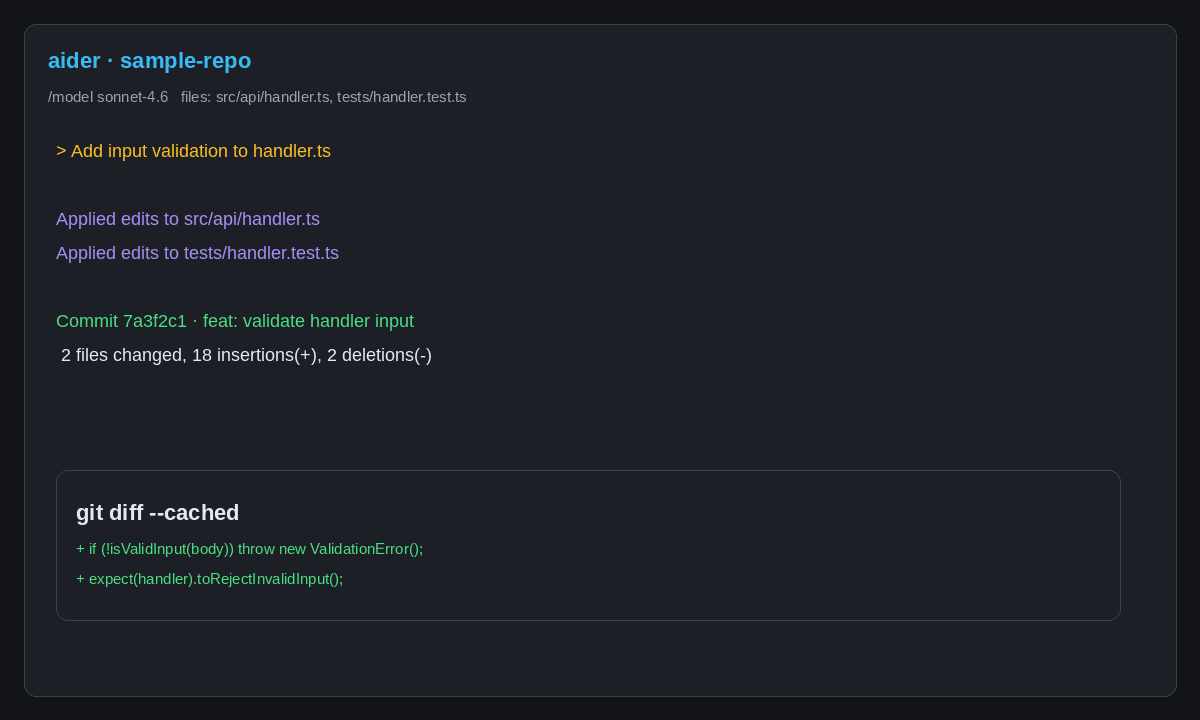
Step 1: Install Python 3.10+
python3 --version # needs 3.10 or later
Step 2: Install Aider
pip install aider-chat
aider --version
Step 3: Set your LLM API key
export ANTHROPIC_API_KEY=sk-ant-...
# or
export OPENAI_API_KEY=sk-proj-...
Aider authenticates to any provider through environment variables. You can also set keys in .aider.conf.yml.
Step 4: Navigate to your git repo
cd /path/to/your/project
# Aider requires an initialized git repo
git init  # if needed
Step 5: Launch Aider with your model
aider --model claude-sonnet-4-6
# or for top benchmark performance:
aider --model gpt-5
Step 6: Add files to chat context
> /add src/auth/middleware.ts src/auth/session.ts
Keep context focused. Aider's repo-map handles repository-level understanding in the background.
Step 7: Enable architect mode for complex tasks
aider --architect
The planner model reasons about approach; the editor model writes and commits the diffs.
Step 8: Create `.aider.conf.yml` for team-standard configuration
model: claude-sonnet-4-6
auto-commits: true
lint-cmd: ruff check
test-cmd: pytest
Commit this file to your repo so everyone on the team uses the same AI coding policy.
Step 9: Enable watch mode for inline AI comments
aider --watch-files
Now drop AI! extract this into a helper function as a comment in any tracked file and save. Aider executes, commits, and returns.
Step 10: Review and push
git log --oneline  # inspect every AI commit
git diff HEAD~3    # review the last three changes
git push           # when satisfied
Three Real Workflows
Workflow 1: Multi-file refactor with automated test loop
aider --model claude-sonnet-4-6 --test-cmd "pytest tests/" --auto-test
> /add src/payment/ tests/test_payment.py
> Refactor PaymentProcessor to use a strategy pattern.
  Keep backward compatibility with the existing interface.
  Write tests for each strategy.
Expected output: Aider writes the refactor, runs pytest, auto-fixes failures, and commits when tests pass. On a well-tested codebase, this loop resolves most test failures without human intervention. The commit message describes each change; the diff is reviewable via git log -p.
Workflow 2: Architect mode for a constrained new feature
aider --architect --model gpt-5
> /add src/api/ src/models/
> Add rate limiting to all /api/* endpoints using a sliding
  window algorithm. 100 requests/min per authenticated user.
  Write tests. Do not touch the existing auth flow.
The GPT-5 architect produces a plan; the editor (typically a cheaper model) writes the diffs. The constraint to leave auth untouched is preserved because the planner encodes the constraint before the editor begins. This constraint-passing is architect mode's practical value — it prevents scope creep across files.
Workflow 3: Watch-mode micro-fixes without leaving your editor
Drop // AI! extract this logic into a pure function and add a unit test as a comment in utils.ts, save the file. Aider picks it up, extracts the function, writes the test, runs the linter, and commits — without you leaving your editor or touching the terminal.
This workflow is particularly effective for small tasks under 30 lines where the overhead of a full Aider session isn't worth the context switch.
Aider vs Cline in 2026: The Decision Framework
Aider and Cline are the two strongest open-source, bring-your-own-model CLI tools in 2026. The choice comes down to one question: do you need git-atomic audit trails or MCP tool access?
| Dimension | Aider | Cline |
|---|---|---|
| Interface | Terminal CLI | VS Code extension |
| Git integration | Deep — every edit = commit | Standard VS Code git |
| MCP support | None | Full |
| Browser automation | No | Yes |
| Human-in-the-loop | Optional confirmation | Approval before each action |
| Parallel agents | No | Yes (Cline CLI 2.0) |
| Token efficiency | 4.2× better than Claude Code | Variable by model/task |
| Local model support | Yes (Ollama, LM Studio) | Yes |
| Open source | Apache 2.0 | Apache 2.0 |
| GitHub Stars | 41K+ | 58K+ |
Choose Aider when your workflow is terminal-native, you want a clean git audit trail without IDE overhead, and you do not need MCP servers. Aider's git-atomic philosophy aligns precisely with the production CLI-first patterns covered in our seven-CLI comparison — teams that treat AI edits as code review artifacts rather than interactive conversations.
Choose Cline when you live in VS Code, need browser automation for end-to-end testing, or have an MCP server ecosystem running. Cline's MCP integration gives it access to tools Aider simply cannot reach: GitHub Issues, Jira boards, database schema queries, internal APIs.
The open-source coding tools survey from Frontman.sh (retrieved June 2026) puts the split plainly: Aider (41K stars) is for terminal-native workflows; Cline (58K stars) is for VS Code-first teams. They occupy different habitats.
A hybrid is viable and common: use Aider for long-running refactor branches where git atomicity matters, Cline for feature work requiring MCP tool calls. Both support .aider.conf.yml and cline_rules.md pointing at the same lint/test commands, keeping quality gates consistent across tools.
When NOT to Use Aider
Your team needs MCP tool access. Aider has no MCP integration, full stop. If agents need to read Jira, query Postgres schemas, or call internal APIs, Claude Code or Cline are the right tools. Aider's value proposition does not extend to orchestrated tool use.
You need parallel agent runs. Aider processes one session at a time. For teams running multiple concurrent AI tasks on the same codebase — common in large feature branches or multi-service migrations — OpenCode's multi-session architecture or Cline CLI 2.0's parallel terminals are better fits.
Your team is not terminal-native. Aider's CLI-only interface creates real adoption friction for developers accustomed to visual diffs and point-and-click accept/reject. The 2026 guide to coding CLI tools (retrieved June 2026) classifies Aider as "balanced autonomy" — but that balance requires deliberate terminal habits. Imposing Aider on a VS Code-first team generates resistance without corresponding productivity gain.
FAQ
Is Aider free to use in 2026? Aider is free and open-source under Apache 2.0. You pay your LLM provider directly — no markup, no subscription. Using Claude Sonnet 4.6 or DeepSeek V3 via OpenRouter, a typical heavy-use week costs $15–40. Because Aider uses 4.2× fewer tokens than Claude Code on equivalent tasks (morphllm.com, June 2026), it is one of the cheapest credible AI coding workflows in 2026.
Does Aider support Claude and GPT-5 in 2026?
Yes. Aider supports 75+ LLM providers including Claude Sonnet 4.6, Claude Opus 4.x, GPT-5 (high/medium), Gemini 2.5 Pro, DeepSeek V3, Grok-4, and any local model via Ollama or LM Studio. GPT-5 (high) currently tops Aider's polyglot leaderboard at 88.0% on the 225-exercise benchmark. Switch models mid-session with /model gpt-5 (aider.chat/docs/leaderboards, June 2026).
What is Aider's architect mode?
Architect mode splits AI work into two phases: a planning model that reasons about approach and a cheaper coding model (editor) that writes the diffs. Enable it with aider --architect. As of v0.83+, --auto-accept-architect defaults to true so no confirmation interrupt is needed. Use it for any task spanning more than three files or crossing subsystem boundaries (GitHub releases, June 2026).
Can Aider handle large codebases?
Aider's repo-map works well for codebases up to ~200K lines of code. Beyond that, context window exhaustion becomes a real failure mode. For very large monorepos, Cursor Composer 2 (whole-repo vector indexing) or Claude Code (200k-token context window) handle scale better. Aider's --read-only flag mitigates the issue by marking reference-only files to reduce token load, but requires manual curation (nxcode.io, June 2026).
Does Aider support MCP tools in 2026? No. Aider has no MCP support as of mid-2026, by deliberate design choice. If you need MCP servers for GitHub, databases, or Jira, use Cline, Claude Code, or Goose. For teams already invested in an MCP ecosystem, Aider is the wrong tool regardless of its other strengths (morphllm.com, June 2026).
Knowledge Check
Question: You're asked to add a feature that requires querying a Postgres schema and creating a GitHub Issue — both via MCP servers. Your team uses terminal-native workflows and already has an Aider setup. Should you use Aider for this task?
Answer: No. Aider has no MCP support as of mid-2026. For tasks requiring MCP tool calls — database queries, GitHub API, Jira — use Cline or Claude Code, both of which have native MCP integration. Aider remains the right choice for the git-native file editing that follows once the MCP-connected planning is done.
Build These Skills in the Academy
The architect/editor mode workflow, .aider.conf.yml team configuration, and the decision framework for when Aider beats Claude Code or Cline pair naturally with the production-agents-claude-agent-sdk-mcp-connector course — covering production multi-agent pipelines with MCP connectors, observability, and the governance patterns that make AI-generated commits reviewable at scale.